> ## Documentation Index
> Fetch the complete documentation index at: https://speckle-assistant.mintlify.site/llms.txt
> Use this file to discover all available pages before exploring further.

# ArchiCAD

export const app_0 = "ArchiCAD"

export const versions_0 = "25, 26 & 27"

export const connector_0 = "ArchiCAD"

<div class="callout my-4 px-5 py-4 overflow-hidden rounded-2xl flex gap-3 border-2 border-red-600 bg-red-100/50 dark:border-red-600 dark:bg-red-400/20" data-callout-type="warning">
  <div class="mt-0.5 w-4" data-component-part="callout-icon">
    <svg class="flex-none w-5 h-5 text-red-700 dark:text-red-300" fill="none" viewBox="0 0 24 24" stroke="currentColor" stroke-width="2" aria-label="Warning">
      <path stroke-linecap="round" stroke-linejoin="round" d="M12 9v2m0 4h.01m-6.938 4h13.856c1.54 0 2.502-1.667 1.732-3L13.732 4c-.77-1.333-2.694-1.333-3.464 0L3.34 16c-.77 1.333.192 3 1.732 3z" />
    </svg>
  </div>

  <div class="text-sm prose min-w-0 w-full text-red-700 dark:text-red-300" data-component-part="callout-content">
    <b>Notice</b>: This user guide is based on the legacy {connector_0} connector.<br />
    We recommend using our new connectors instead, as they are easier to use and actively maintained. This legacy documentation may not be up to date.
  </div>
</div>

<Info>
  Legacy Speckle supports {app_0} versions: {versions_0}
</Info>

## Getting started

Sending out to geometry applications is well supported, but receiving back into BIM applications is not fully supported.

## Installation

Before using this connector, you'll need to follow our standard setup instructions to [install Speckle Manager and add a Speckle account](/legacy/user/manager).

Note that for this connector, you will need admin permissions on your machine to install it.

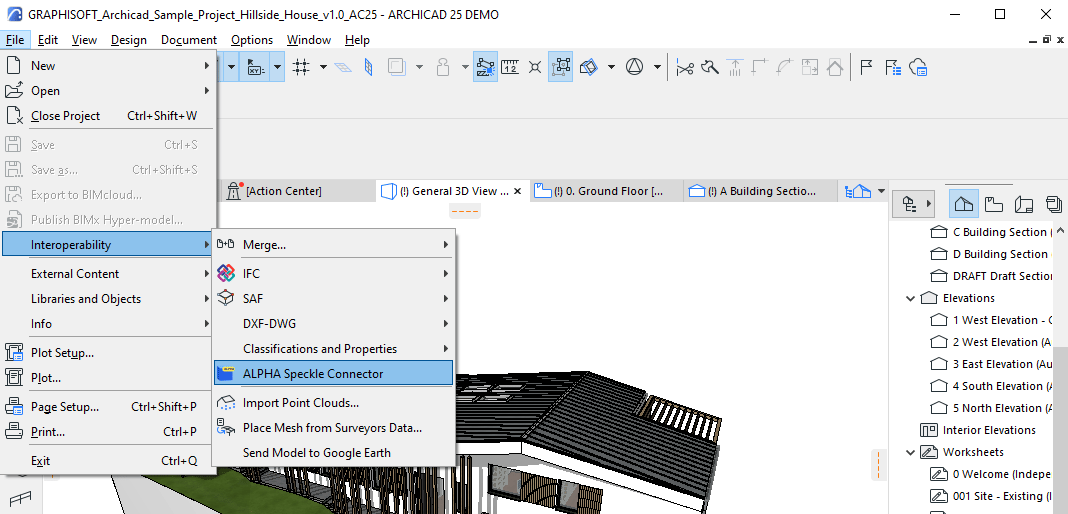
Once you've installed the connector, you'll be able to access it from the "Interoperability" menu

<img src="https://mintcdn.com/speckle-assistant/LzEjPw7oADgMr4xu/images/legacy/archicad/archicad-launch.png?fit=max&auto=format&n=LzEjPw7oADgMr4xu&q=85&s=1ed9dbbd906789247683ca6d6fac1730" alt="screenshot of speckle connector launch in archicad" width="1068" height="514" data-path="images/legacy/archicad/archicad-launch.png" />

## User interface

<Callout type="warning">
  This connector uses our shared Desktop UI.
</Callout>

### Sending data

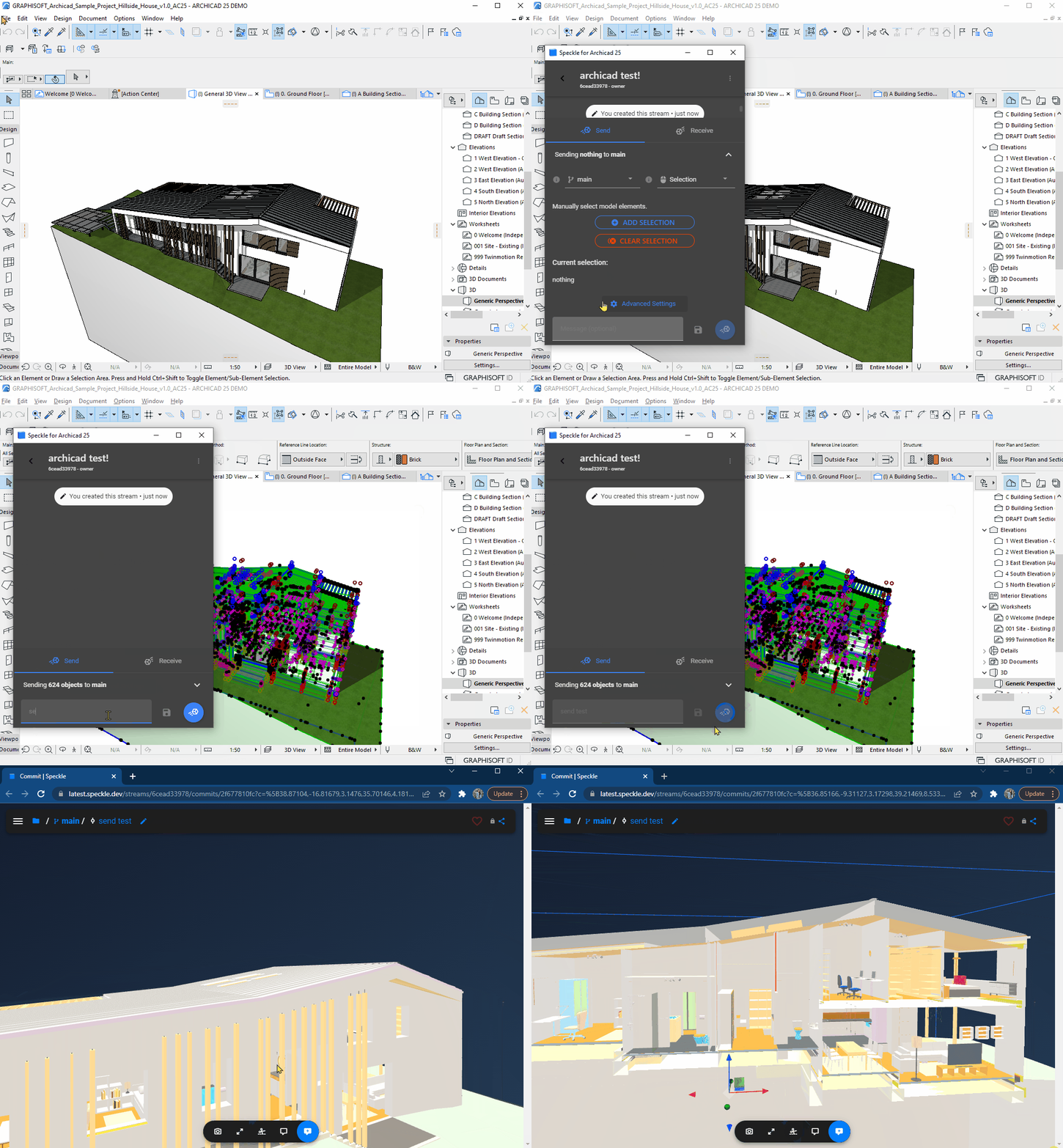
After launching the connector, either create a new project or select an existing one.

Next, select the objects you want to send from within the model viewer. Then in the send menu, click "Add selection".

You can then write a message to label the version and click send. Once the send is complete, you'll be able to click the popup to view it in the browser.

<img src="https://mintcdn.com/speckle-assistant/LzEjPw7oADgMr4xu/images/legacy/archicad/archicad-send-process.gif?s=ae5e668a49c384fb6d0c70a3a89e8723" alt="gif of the launch and send procedure in archicad" width="1065" height="767" data-path="images/legacy/archicad/archicad-send-process.gif" />

### Receiving data

#### Into Archicad

To receive data into Archicad, simply select a project and click receive! Note that receiving into Archicad is currently not well supported. This is still an alpha and thus very work in progress!

Feel free to drop suggestions and ideas about how you would like to use this connector on the [forum](https://speckle.community/) to help guide the development of this connector 🚀

#### Into other connectors

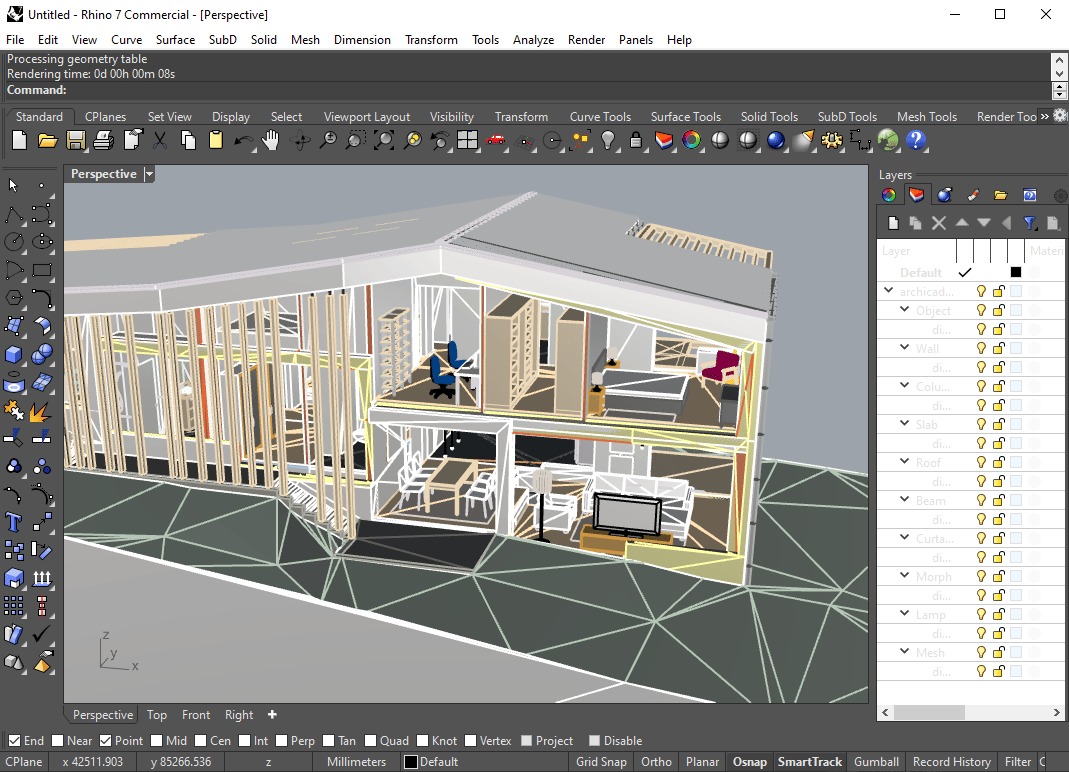
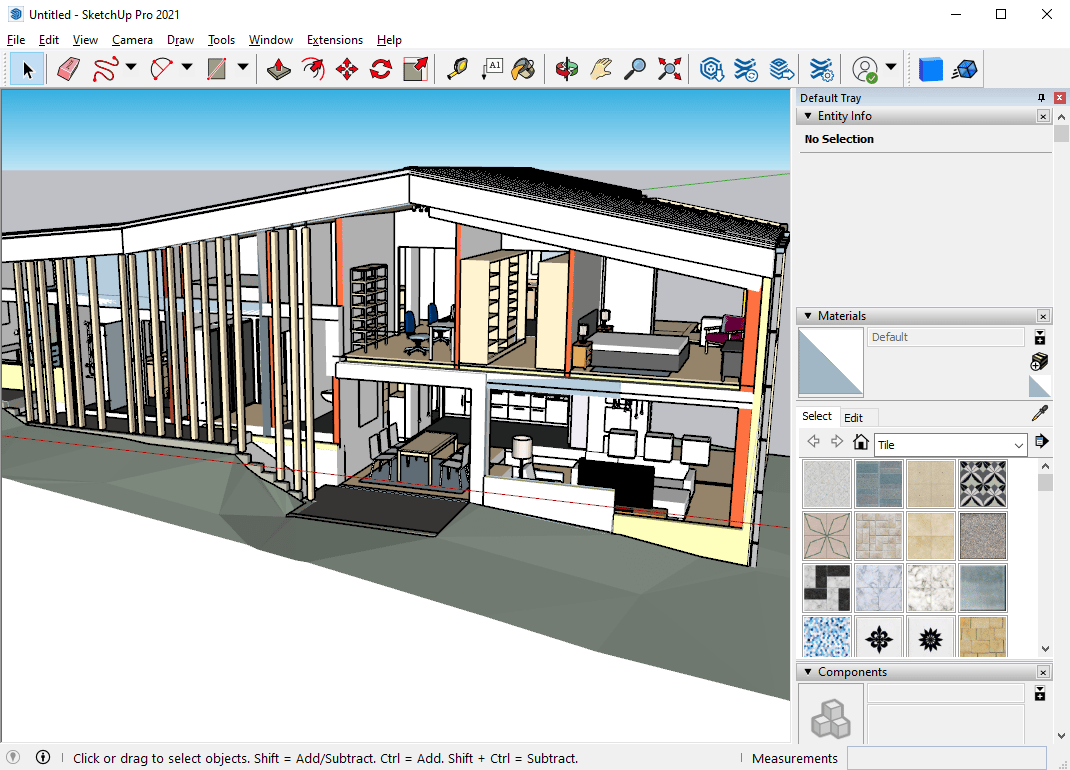
Receiving Archicad models in other geometry focussed connectors (eg SketchUp, Rhino, Blender) is pretty well supported. Check out the images below for some examples!

##### Blender
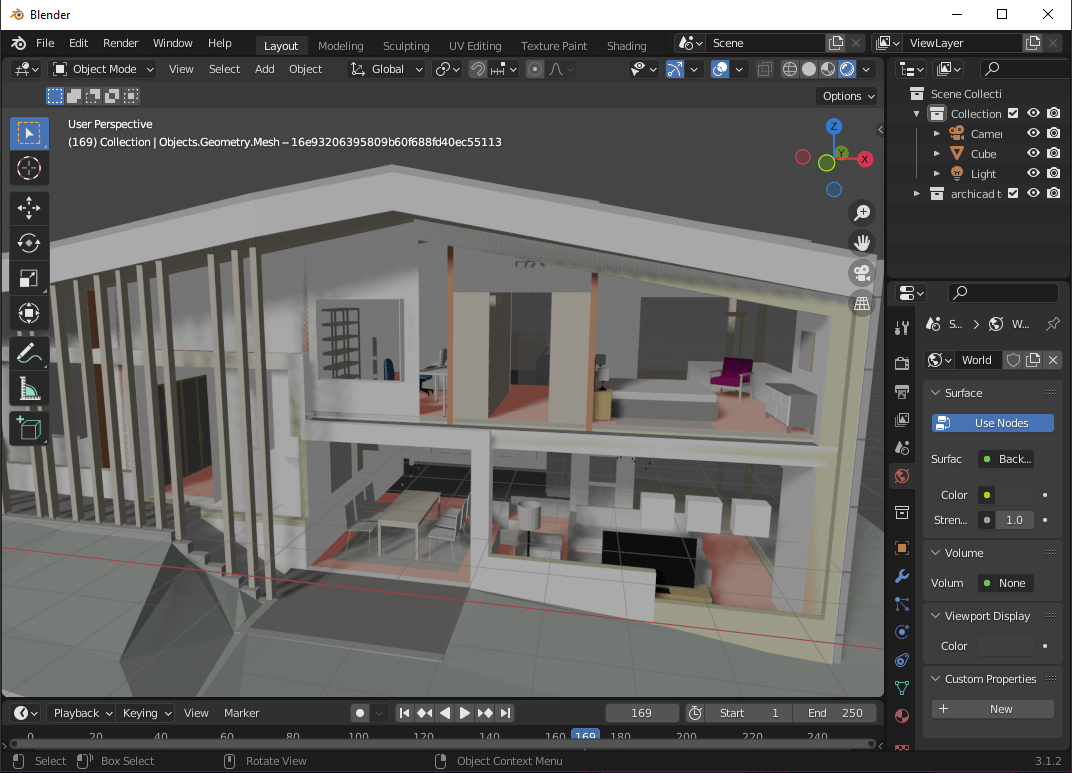
<img src="https://mintcdn.com/speckle-assistant/LzEjPw7oADgMr4xu/images/legacy/archicad/archicad-to-blender.png?fit=max&auto=format&n=LzEjPw7oADgMr4xu&q=85&s=cc03e33400175331d3236a0633fc07f5" alt="archicad to blender" width="1072" height="773" data-path="images/legacy/archicad/archicad-to-blender.png" />

##### Rhino

<img src="https://mintcdn.com/speckle-assistant/LzEjPw7oADgMr4xu/images/legacy/archicad/archicad-to-rhino.png?fit=max&auto=format&n=LzEjPw7oADgMr4xu&q=85&s=2013d91cde23feaee03673abcdc3aa38" alt="archicad to rhino" width="1069" height="772" data-path="images/legacy/archicad/archicad-to-rhino.png" />

##### SketchUp

<img src="https://mintcdn.com/speckle-assistant/LzEjPw7oADgMr4xu/images/legacy/archicad/archicad-to-sketchup.png?fit=max&auto=format&n=LzEjPw7oADgMr4xu&q=85&s=f8c4c059a2502043903bb4bf89591dc6" alt="archicad to sketchup" width="1070" height="770" data-path="images/legacy/archicad/archicad-to-sketchup.png" />